Fin

Your money, finally in focus.

Track spending, plan budgets and save toward your goals.

Start manually. Bank connection is optional.

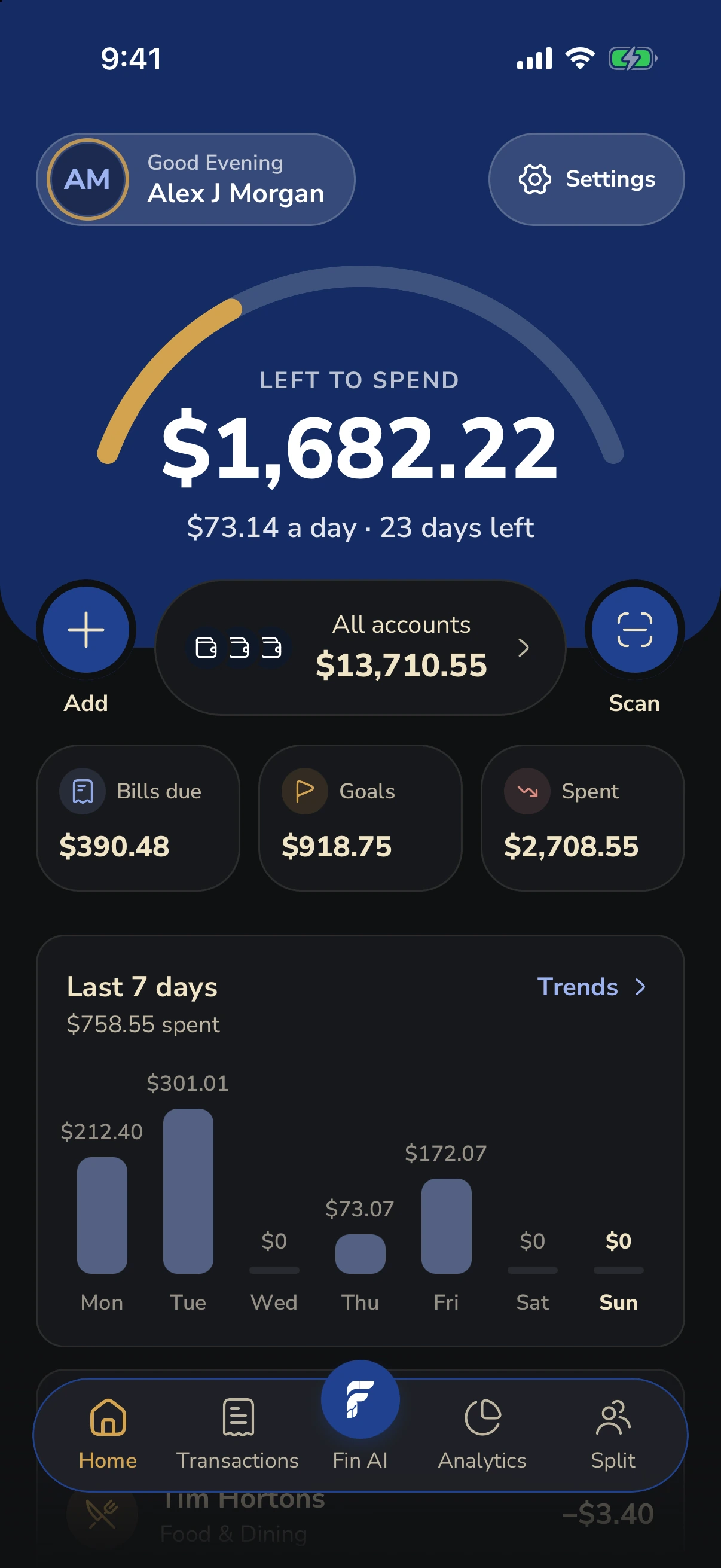
Fin Home showing money left to spend, account balances and the last seven days of spending
Fin interface preview · demo data

Your everyday picture

Your whole month.
One clear view.

Bring accounts, spending and budgets together, so your next decision feels simpler.

Explore Fin

A little look inside Fin.

Real Fin interface screenshots · synthetic demo data

Home1 of 7

Know it. Plan it. Live it.

Little things. A clearer picture.

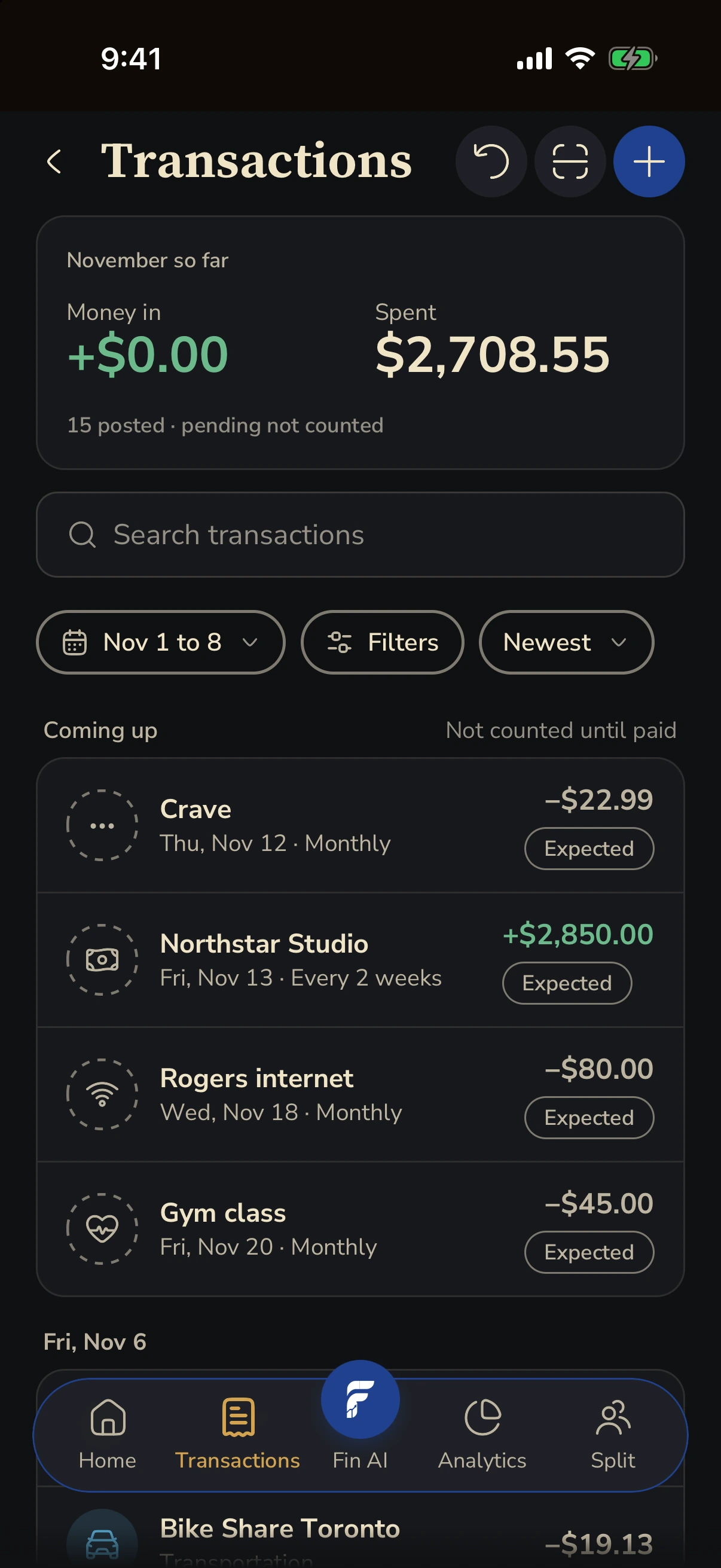
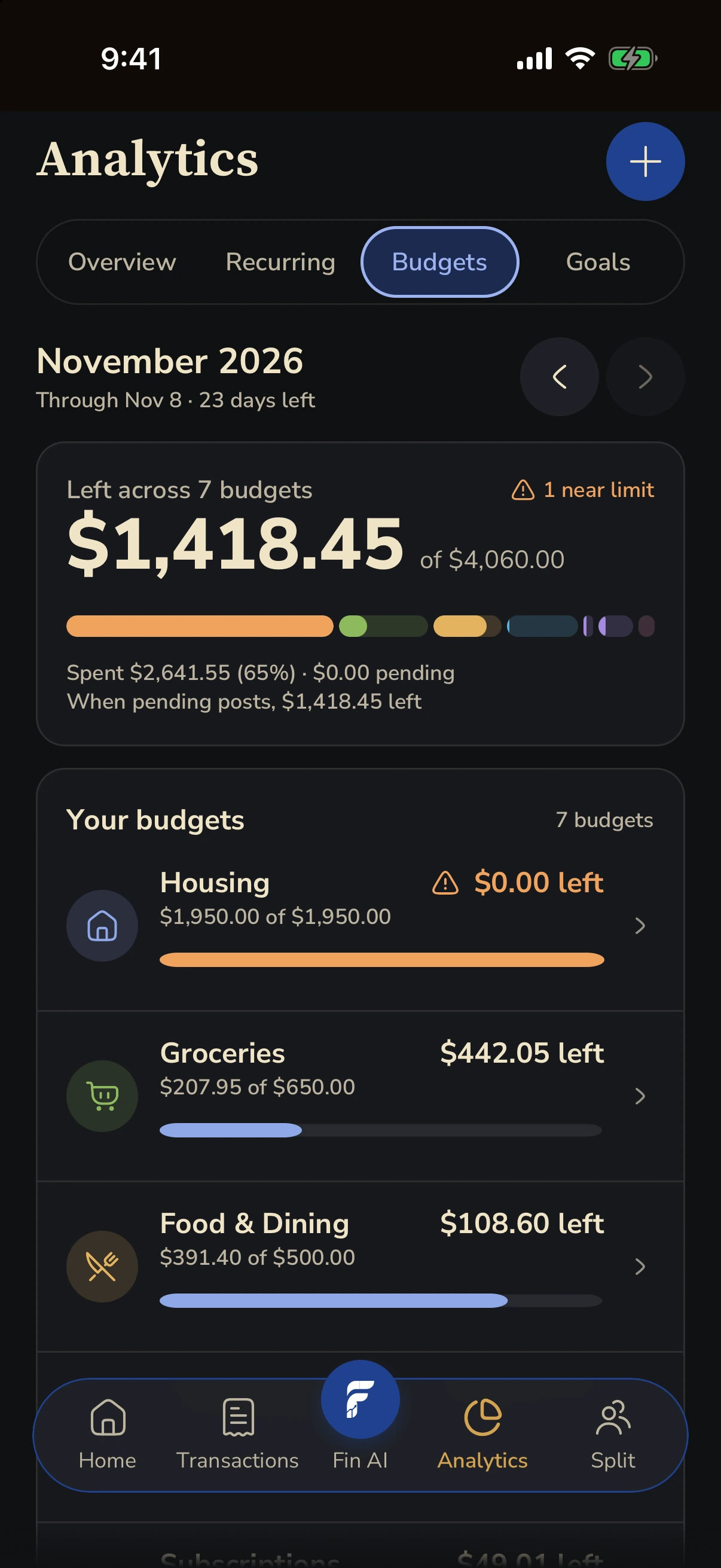
Review the everyday purchases, bills and income that make up your month. Give each transaction a category and see where your money goes.

Add transactions manually, or use an eligible bank connection.

Fin Transactions showing the monthly spending total, upcoming payments and recent purchases
Fin interface preview · demo data

The little things, taken care of

A lighter everyday.

Less typing.

Capture a receipt, review the details and save the transaction. A shortcut for the purchases you want to remember.

Fewer surprises.

Track bills, subscriptions and upcoming renewals. Keep the regular payments in your month in view.

More perspective.

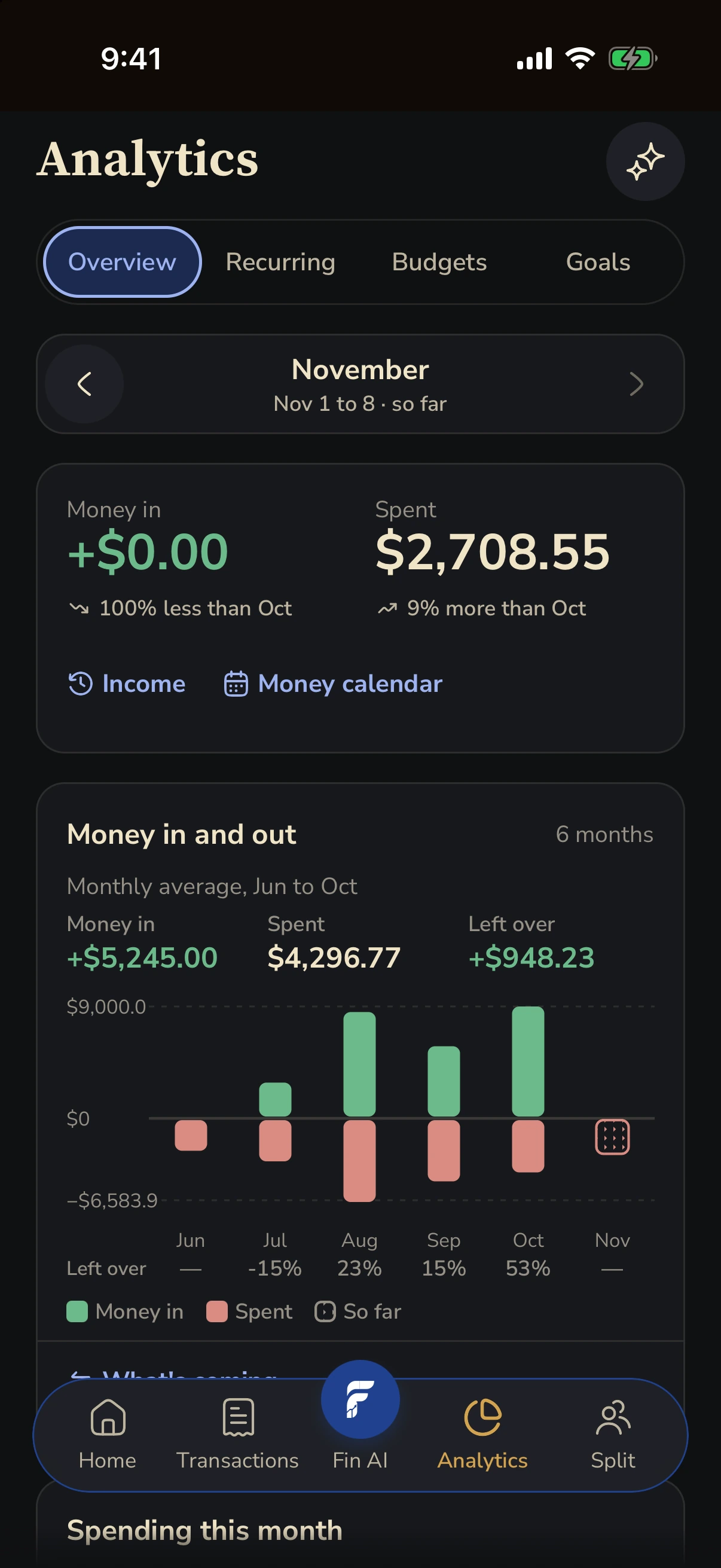
See how income and spending change over time. Come back to your cash flow with a little more context.
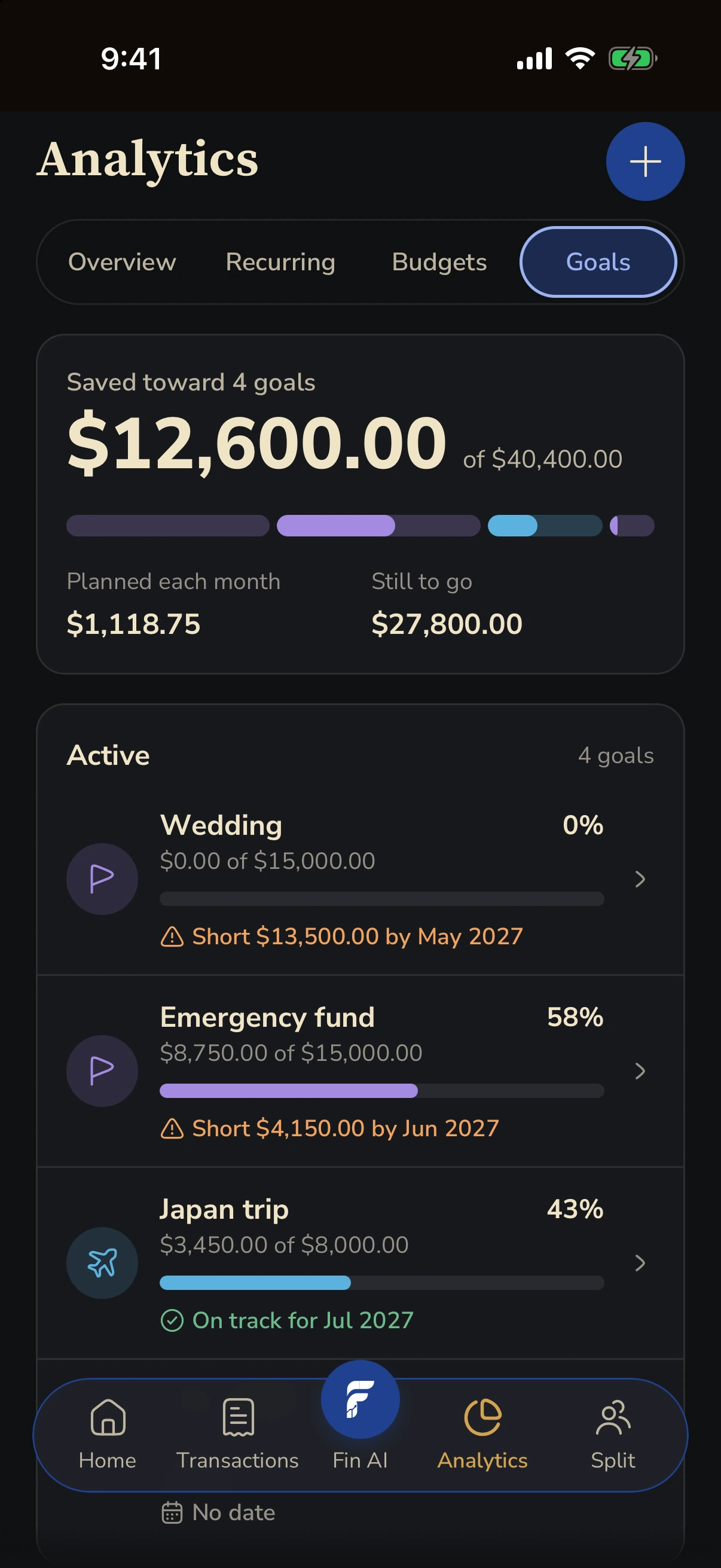
Fin Goals showing savings progress for a wedding, emergency fund, Japan trip and new laptop
Fin interface preview · demo data

Make room for someday

Big dreams.
Small steps.

A trip. An emergency fund. A little breathing room. Give what matters a target, track what you’ve saved and find a pace that works for you.

Try a monthly savings plan

Japan trip · illustrative plan

CA$3,250of CA$8,000 saved

At that pace 10 months

Assumes regular contributions and no interest.

Good times. Clear balances.

Share the moment.
Skip the maths.

For weekends away, dinners together and the everyday things you share. Add expenses to a group, see who owes what and record payments when they happen.

Try a shared expense

Montréal weekend · 2 equal shares

Each person’s share CA$294

Fin records payments; it does not transfer money.
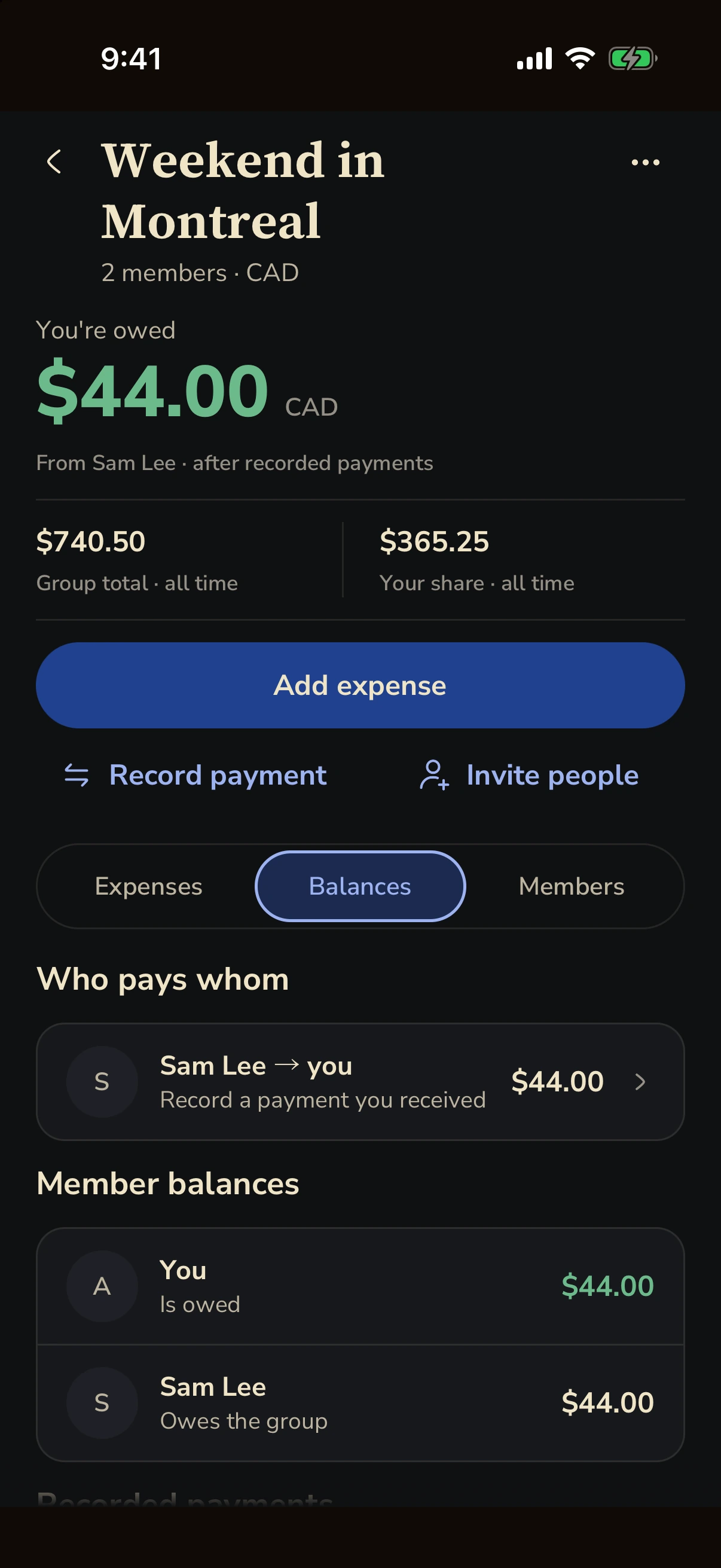
Fin Split showing a Montreal trip, who pays whom and each member’s balance
Fin interface preview · demo data
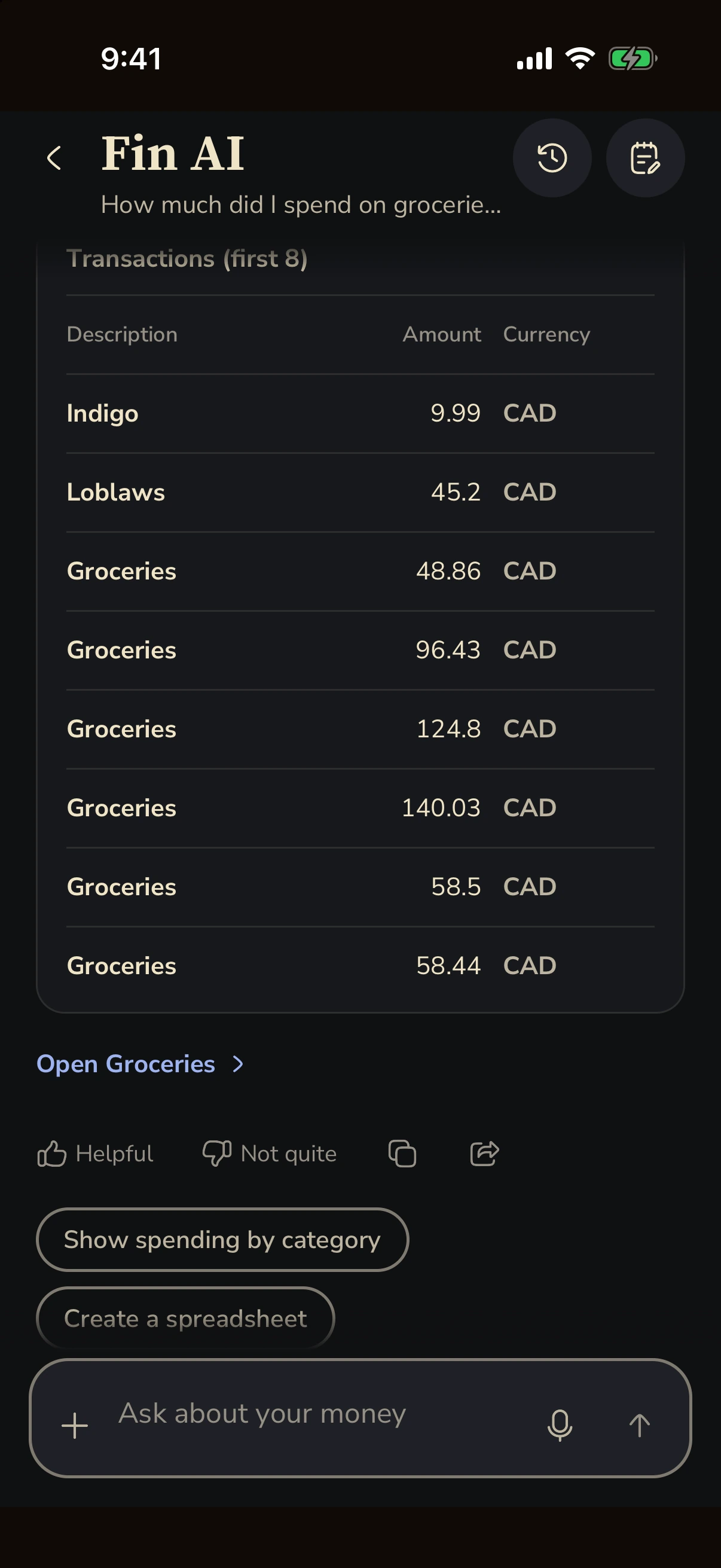
Fin AI comparing grocery spending between two months with a table of transactions
Fin interface preview · demo data

A conversation with your money

Less wondering.
More understanding.

Ask about your spending, budgets and goals. Fin brings context from your data to the conversation.

Answers can include charts and tables.

Try asking Fin

How is my money looking this month?

You’ve recorded CA$6,200 in income and CA$2,310.34 in spending. You’ve also tracked CA$8,750 toward your emergency fund and CA$3,250 for Japan.

A little more context

IncomeCA$6,200
SpendingCA$2,310.34
Illustrative conversation. Informational assistance, not financial advice.

Connected, on your terms

Your accounts.
Your way.

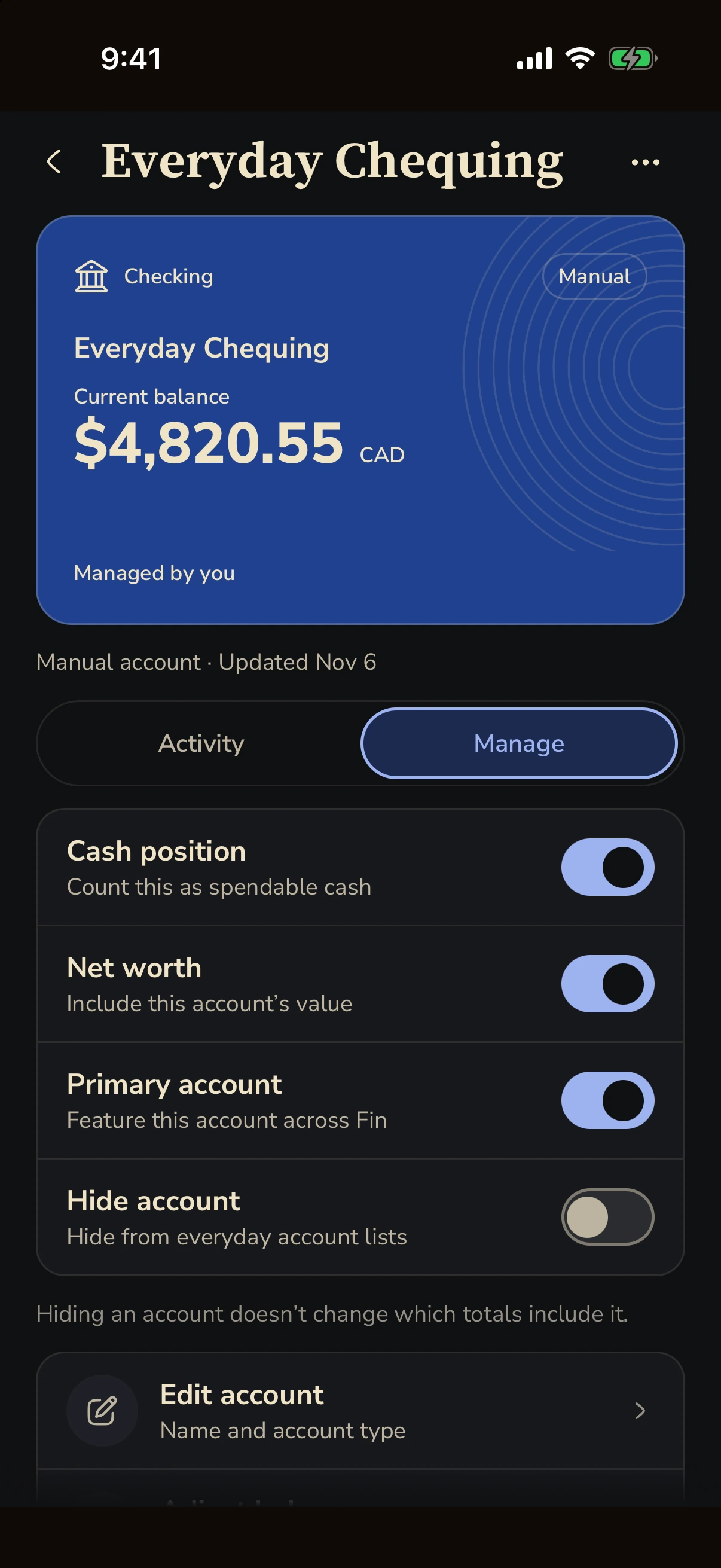
Start manually, or bring in transactions from an eligible bank connection.

Your money, together.

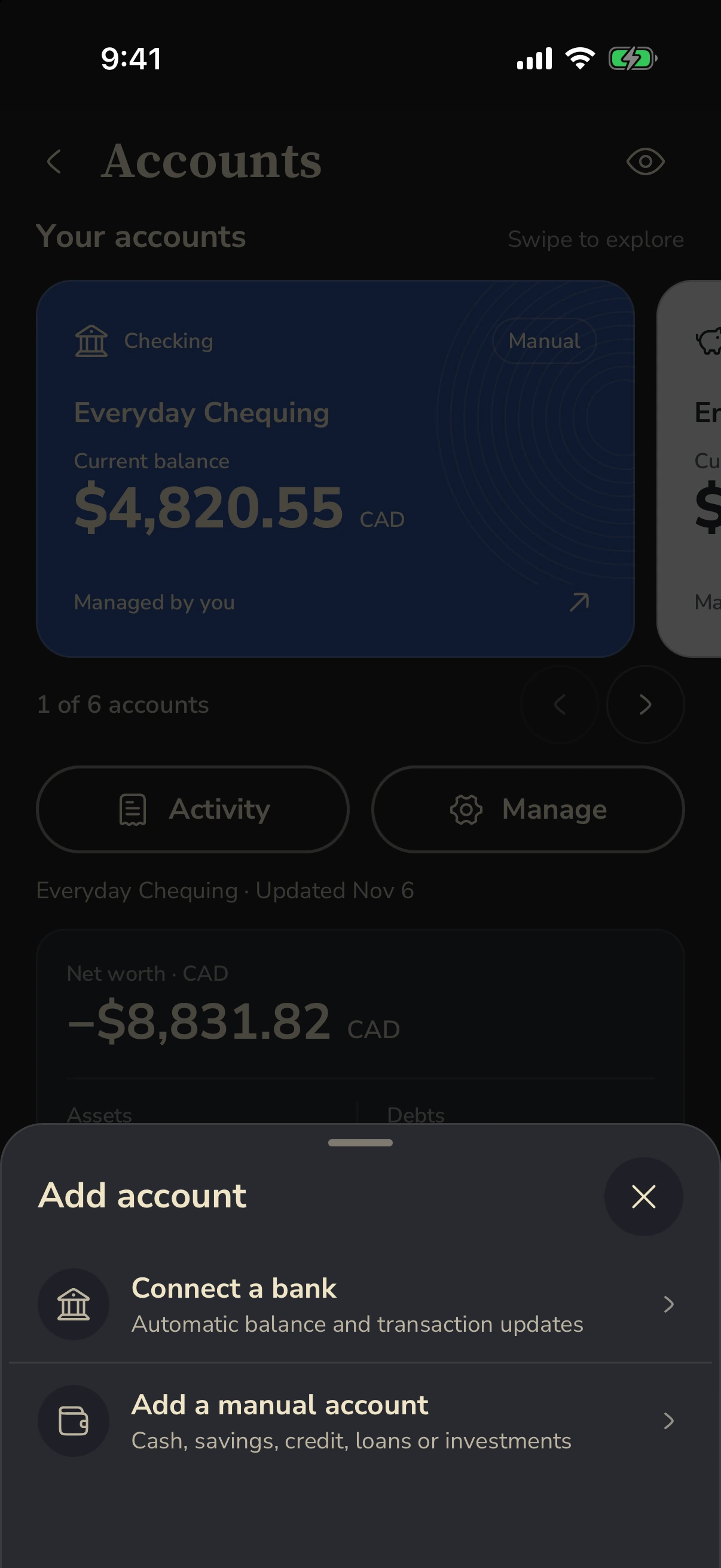
See your account balances, assets and debts in one place. Swipe between accounts and open their activity.

Bank sync depends on your plan, institution and region. Your bank credentials are handled by the connection provider.
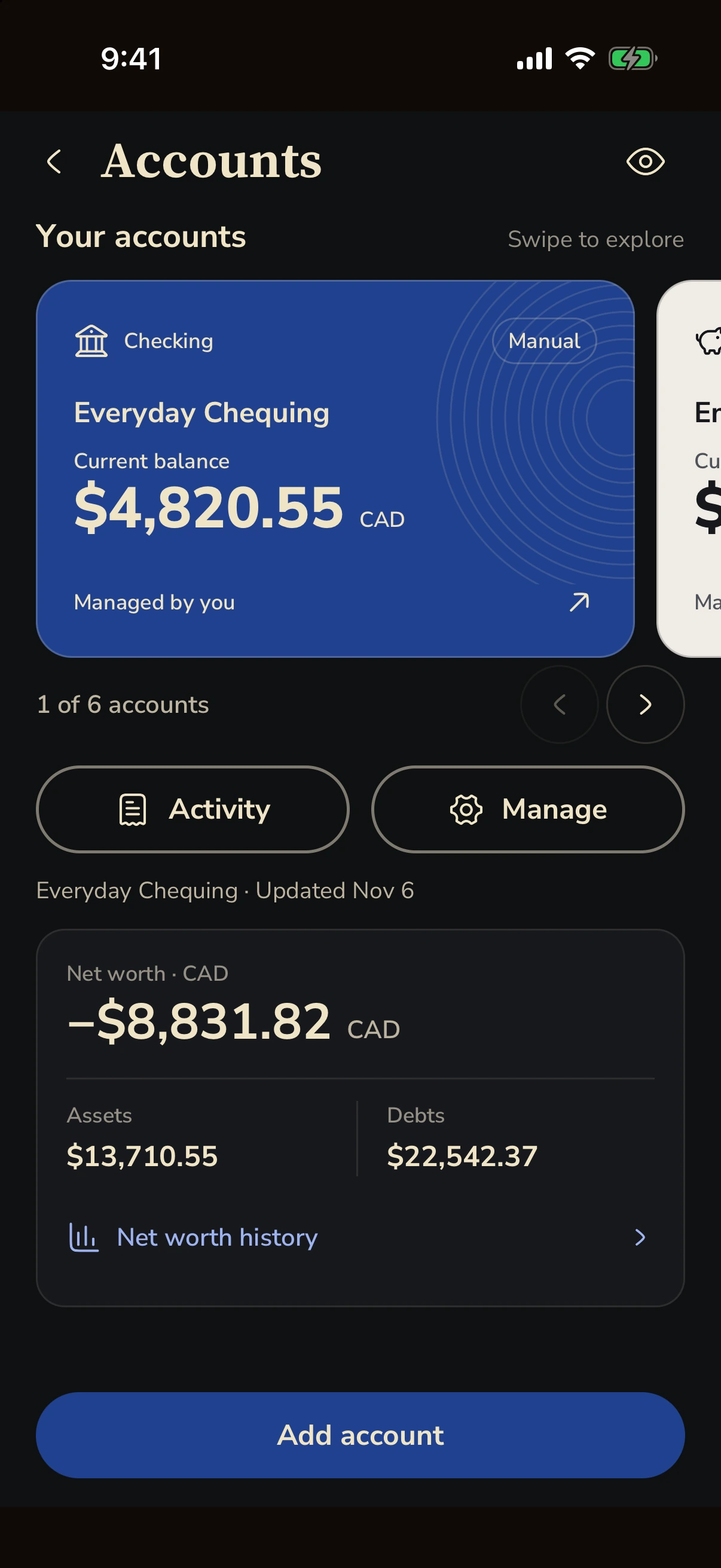
Fin Accounts showing a manual chequing account, assets, debts and net worth
Fin interface preview · demo data

Make yourself at home

Start where you are.

You don’t need a perfect plan. Just a place to begin.

  1. 01

    Add your money

    Enter accounts and transactions manually, or connect an eligible bank.

  2. 02

    Make a plan

    Set budgets and savings goals around your own priorities.

  3. 03

    Find your rhythm

    Check in, review your spending and adjust as life changes.

Bank sync depends on your plan, region and institution.

Find your fit

Start simple. Go further.

The everyday essentials

Fin Free

A place to build your money habits.

  • Manual transactions
  • Budgets and goals
  • Essential finance tracking
Get Fin

A little more possibility

Fin Plus

More tools as your needs grow.

  • Eligible bank sync
  • More AI messages
  • Expanded receipt scanning and Split
  • Advanced insights
Explore Fin Plus in the app

Current plans, prices, trial eligibility and renewal terms are shown in the app before you subscribe.
Availability varies by platform, region and institution.

Your money. Your choice.

Clear about your money.
And your data.

Choose how to track your finances. Fin helps you see your money; it doesn’t hold it or move it.

Read our privacy policy
  • Start manually

    Add your accounts and transactions without connecting a bank.

  • Connect on your terms

    If you connect, your bank credentials are handled by the connection provider.

  • Keep control of your data

    Export your data or request account deletion. Find the details in our privacy policy.

A little more clarity

Good questions.

What is Fin?
Fin is a personal finance app for iPhone and Android. Track expenses, plan budgets, save toward goals, manage shared expenses and ask questions about your money. You can start with manual accounts; connecting a bank is optional.
Do I have to connect a bank?
No. You can start with manual accounts and transactions. Bank connections are optional, and availability depends on your plan, institution and region.
What does Fin Plus include?
Fin Plus adds eligible bank sync, more AI messages, expanded receipt scanning and Split, and advanced insights. Open Fin on your phone for current limits, pricing and terms.
Which banks and regions are supported?
Bank connectivity varies by provider, institution and region. Check the available connections in the app before subscribing for bank sync. You can use manual tracking independently.
Where can I use Fin?
Get Fin for iPhone or Fin for Android on Google Play. Your accounts, plans and goals come together in Fin.
How do trials and cancellation work?
Any trial, renewal price and billing terms are shown before you subscribe. Manage or cancel through the platform where you subscribed, including your App Store subscriptions for iPhone purchases. Deleting the app does not cancel a subscription.
Does Fin move my money?
No. Fin is for tracking and understanding your finances. It does not hold funds or transfer money, including when you record payments in Split.
Fin

A little clarity goes a long way.

Make room for what matters.